Rain on Glass overlays a “through rain-soaked window glass” effect on any photo you load. Adjust frosting, droplets, flowing drops and reflections, then save as an image or video. No signup, no install — your image is processed only on your device.
01
The basic flow
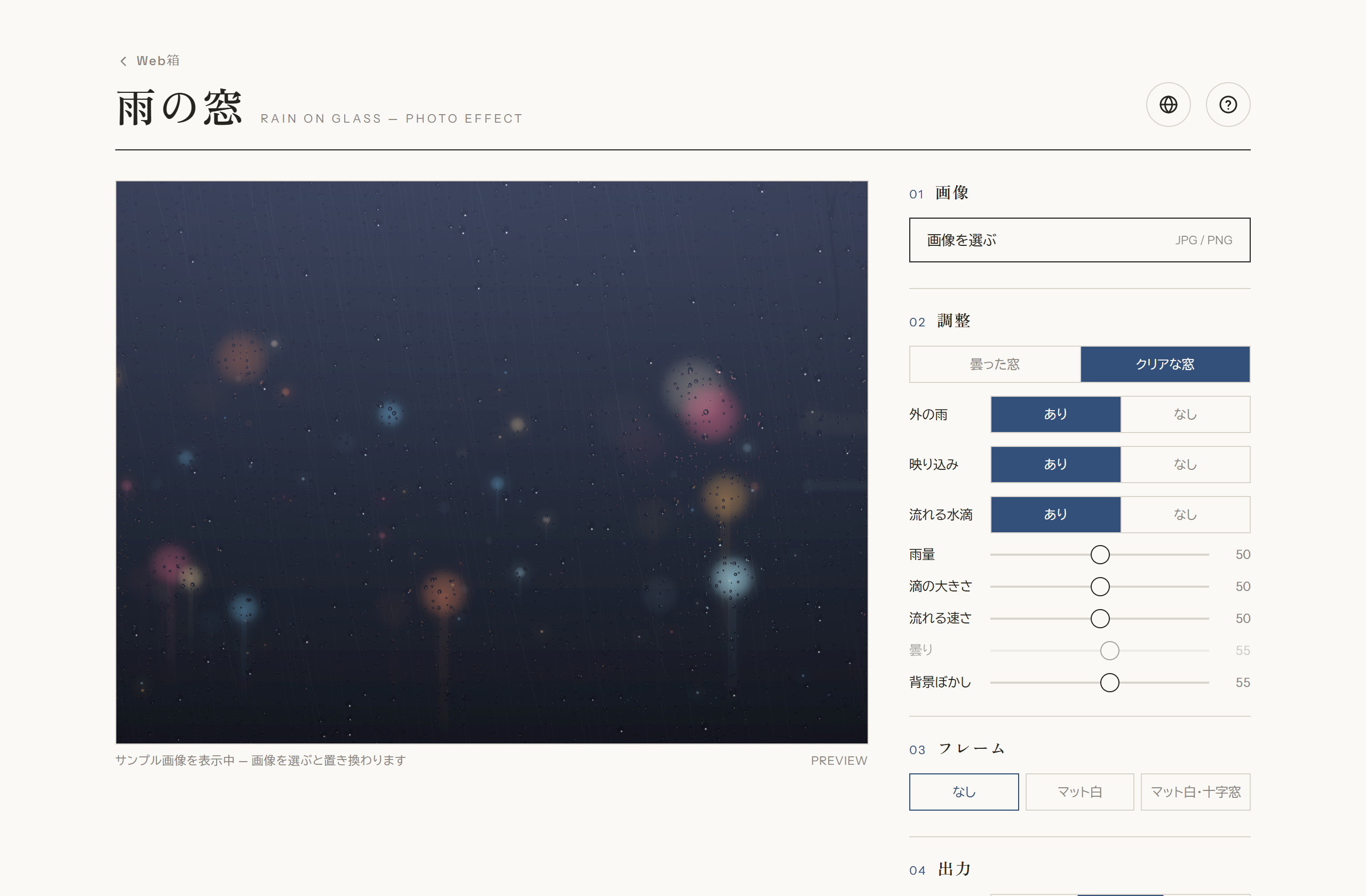
It takes three steps: choose an image → adjust → save. Until you pick an image, a sample is shown, so you can try the adjustments right away.
Choose an image: load a photo from “Choose image” in the right panel.
Adjust: move frosting, rain, drops, flow speed and more to taste.
Save: export as a still image (JPG) or a video.
Full screen (PC). Effect preview on the left, control panel on the right.
02
Load an image
Pick a photo from “Choose image” (JPG / PNG) at the top of the panel. The image is replaced in place and the effect is applied while keeping its resolution. Images are processed only on your device and are never sent anywhere.
03
Adjust
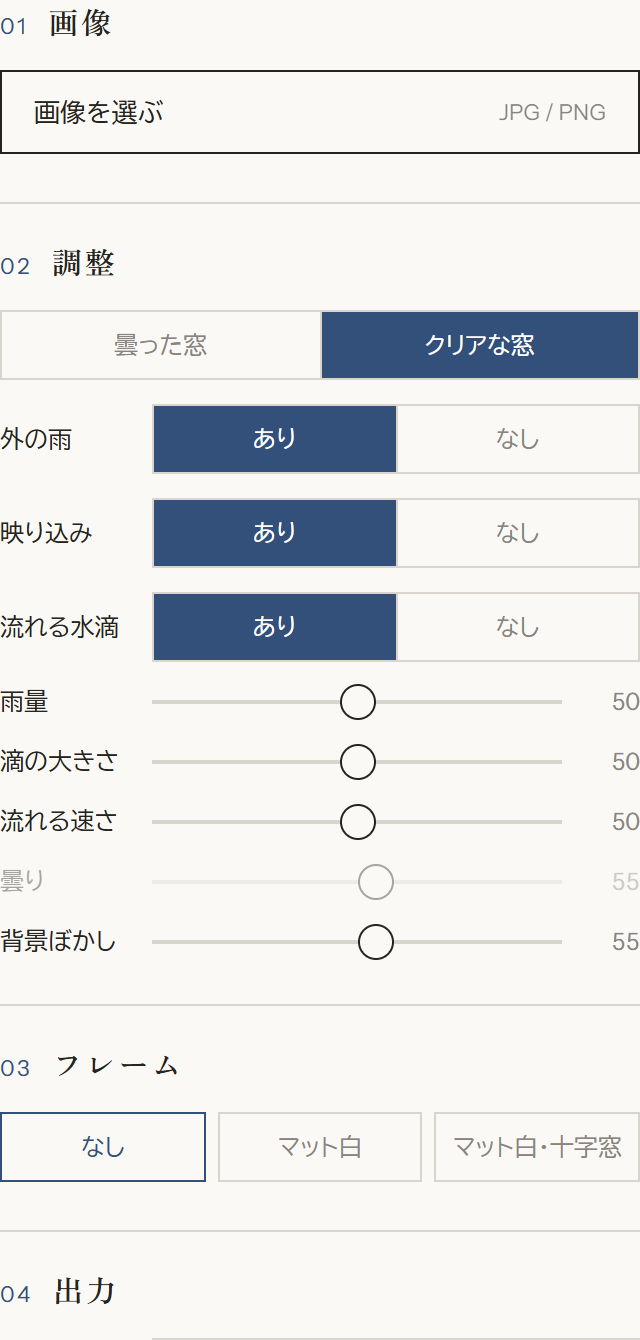
In “Adjust” you fine-tune the state of the glass and how the rain looks. Toggle buttons and sliders update the preview instantly.
Frosted / Clear windowSwitch between a condensation-fogged glass and a clear one.
RainShows streaks of rain falling in the background.
ReflectionWhether light reflects on the glass surface.
Flowing dropsOn/off for drops sliding down and leaving a trail.
AmountThe amount of clinging droplets and flowing drops.
Drop sizeThe size of the clinging droplets.
Flow speedHow fast the flowing drops slide down.
FrostStrength of the frosting (ground-glass look). Active in “Frosted” mode.
BlurHow much the photo itself is blurred.
Control panel — from top: Image, Adjust, Frame, Output.
04
Frame
You can add a framing border for the finish. Choose from None / White mat / White mat + cross. Nice when you want it to look like a piece displayed by a window.
05
Save & record
From “Output”, export exactly what the preview shows.
QualityStandard / High / Max. Higher is sharper, but video files get larger.
Save imageSaves the current frame as an image (JPG) at the loaded photo’s original size.
Record videoPick a length of 5 / 10 / 15 s and record a video of the rain flowing.
06
On smartphones
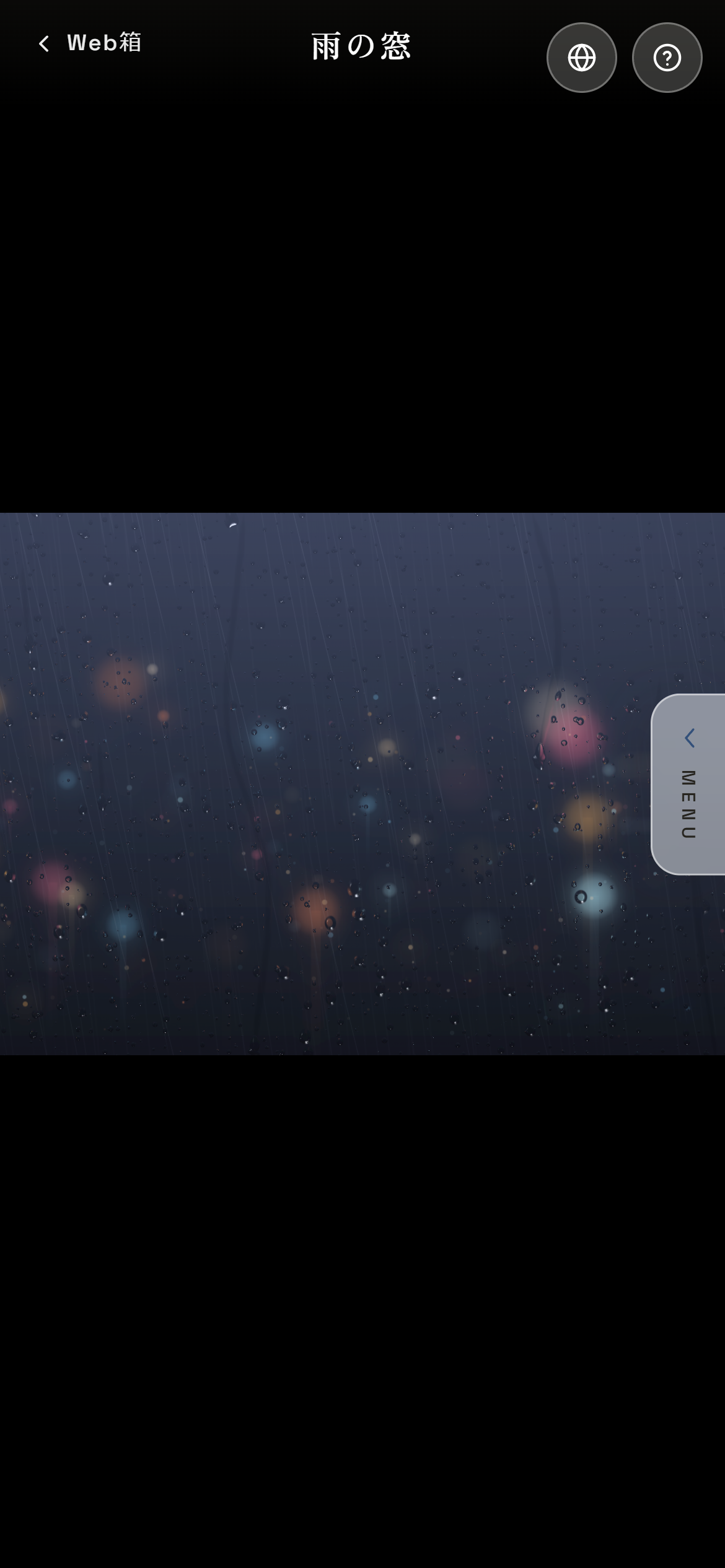
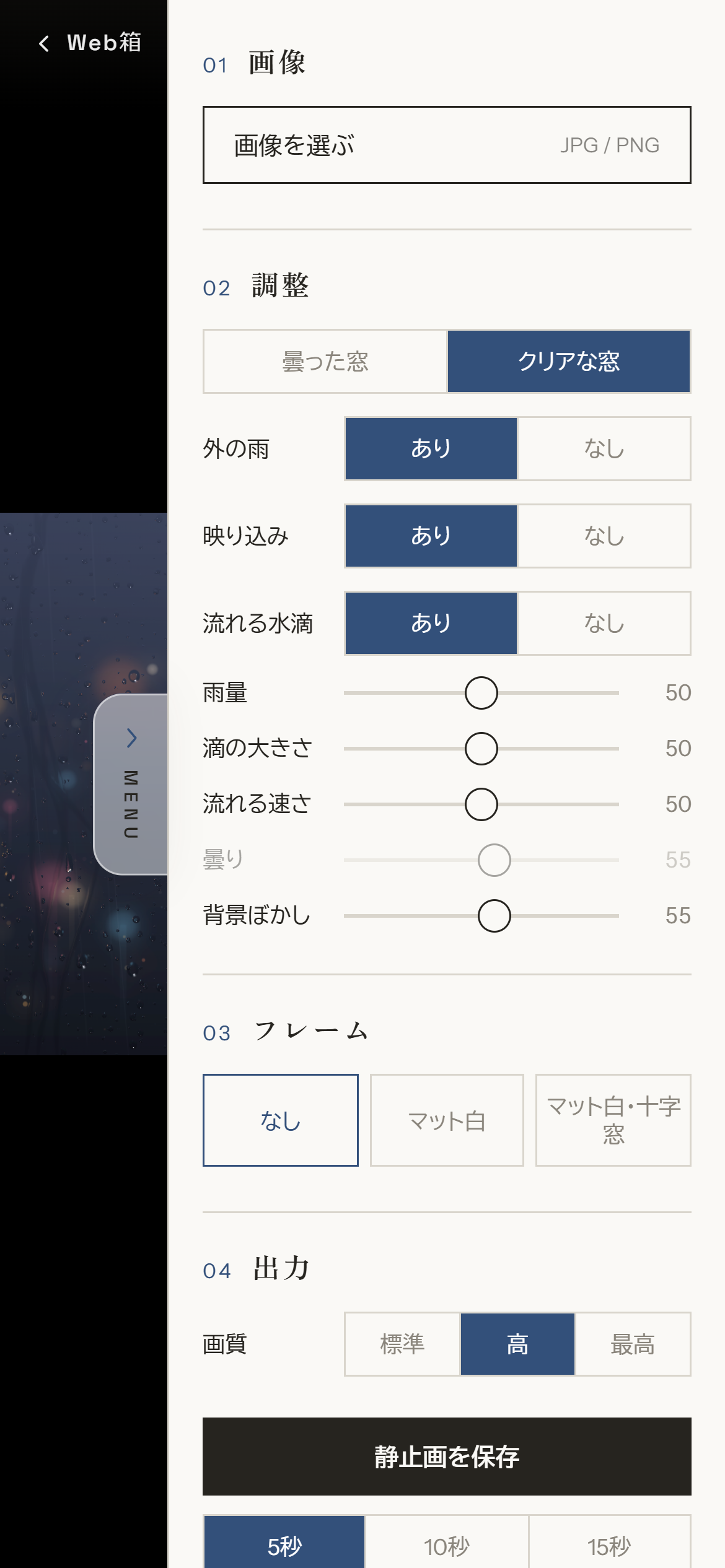
On phones the image is shown full screen. The control panel is hidden off-screen and opens with the “MENU” tab on the right edge.
OpenTap the MENU tab on the right, or drag left.
CloseUse the tab again, or tap the image area.
Full-screen view. MENU tab on the right edge.MENU open — the control panel slides in.
07
Notes
Loaded images are processed only on your device and are never sent to a server. Saved images and videos go to your device’s download location.